A program that runs fine for ten minutes and crawls after ten hours often has the same problem. So what is a memory leak in a program? It is memory the program asked for, finished using, and never gave back. The program keeps holding it, the operating system cannot hand it to anything else, and the amount grows each time the faulty code runs. Over a long session that slow growth can drag the whole computer down.
What Is a Memory Leak in a Program
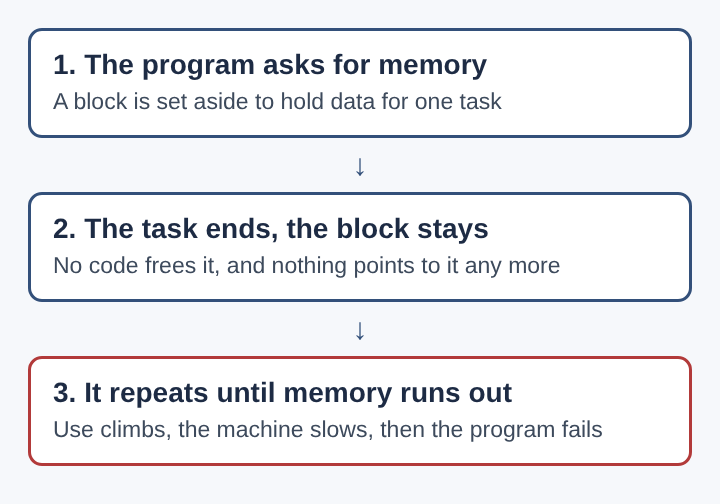
Every running program needs working space in RAM for the data it is handling: an open document, a list of messages, the enemies on a game screen. When that data is no longer needed, the space should go back into the pool. A memory leak happens when that return step is skipped. The data is useless, but the memory is still marked as taken.
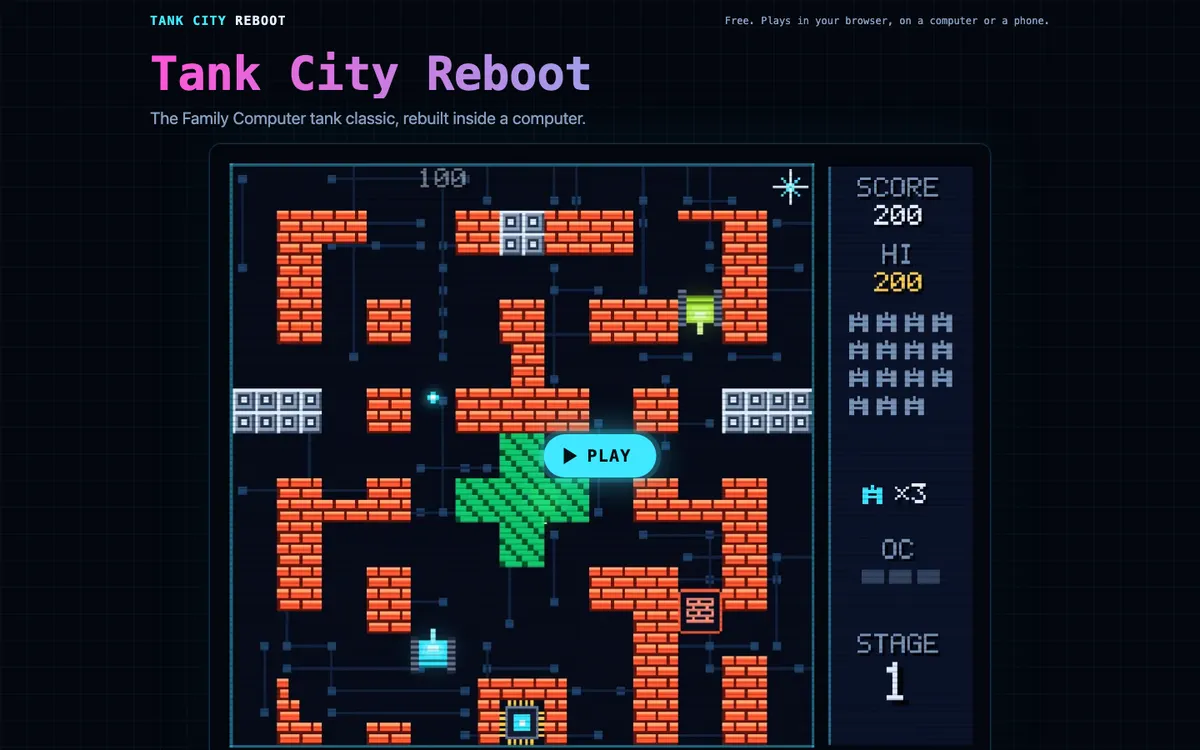
One leak of a few bytes does no visible harm. The trouble comes from repetition. If a leak happens once per click, once per network message or once per frame of animation, it adds up. Memory bookkeeping also turns up in Tank City Reboot, the Family Computer tank classic rebuilt inside a computer, where your antivirus tank guards the CPU core from malware tanks in a browser on a computer or a phone. One of its power-ups is named for the cleanup process that reclaims unused memory.
How a Program Requests and Releases Memory
Programs get memory in two main ways. Short-lived values, such as the variables inside a function, go on the stack. The stack cleans itself up: when the function returns, its space is reclaimed. Stack memory rarely leaks.
Data that must outlive a single function goes on the heap. Here the program has to ask for a block and, later, give it back. In C, a program calls malloc or calloc to request a block and free to return it. If the release call never runs, the block stays reserved until the program exits.
Many languages, including Java, C#, Go and JavaScript, use garbage collection) instead. A part of the language runtime, the garbage collector, scans for memory that no part of the program can reach any more and reclaims it. You never write the release call yourself.
Here is a concrete case. A photo editor opens a large image and requests a block to hold it. You close the image. If the code that handles closing forgets to release that block, the editor still holds the whole image in RAM. Open and close twenty photos and the editor is holding twenty images you can no longer see.
Common Causes of a Memory Leak in Code
Leaks rarely come from a programmer deciding to keep memory. They come from small gaps in the logic. The most common ones:
- A missed release on an error path. The code releases memory at the end of a function, but an error causes an early return, and the release line never runs.
- A lost pointer. The only variable that held the address of a block gets overwritten. The block is still reserved, but nothing can reach it to release it.
- Collections that only grow. A cache, log or history list gets new entries and never drops old ones. Garbage collection cannot help, because the list still points at everything.
- Listeners and timers left behind. A program registers a callback for an event, the object that owns it goes away, but the callback stays registered and keeps that object alive.
- Reference cycles. Under reference counting, two objects that point at each other keep each other's count above zero, so neither is ever released unless the system also detects cycles.
Notice that the last three can happen in garbage-collected languages. The collector only reclaims what is unreachable. If your code still holds a reference, the memory counts as in use.
Signs a Memory Leak Is Slowing a Computer
The clearest sign is a memory number that climbs and never comes down. Open Task Manager on Windows or Activity Monitor on a Mac and watch one program over an hour. Normal programs rise and fall as you work. A leaking one rises in steps and stays high, even when you stop using it.
The slowdown you feel comes from what the operating system does when RAM fills up. It starts moving pages of memory out to the disk, a process called paging or swapping. A disk is far slower than RAM, so every program that needs a page back has to wait. That is why one leaking app can make the browser, the music player and the mouse pointer all stutter.
Other signs:
- The program gets slower the longer it stays open, then speeds up after a restart.
- The fan runs harder and the disk light flickers even when you are not doing much.
- The program shows an out-of-memory error, or simply closes.
Why Games Show Memory Leaks So Clearly
Games are a good place to see why leaks matter, because games create and destroy objects constantly. In the tank game above, twenty malware tanks come at the CPU core each stage, four at a time. Each tank, each shot and each explosion is a small piece of data in memory. When a tank is destroyed, the code has to remove it from every list that refers to it: the list of things to move, the list of things to draw, the list of things that can be hit.
Miss one of those lists and the destroyed tank stays in memory. Worse, the game may keep processing it every frame. Memory use climbs, and each frame takes a little longer, so the game stutters after a long session even though the screen looks the same as at the start.
Two of the game's power-ups borrow the real tools behind this work. Garbage collection wipes out every enemy on the field, named for the process that finds memory no part of a program uses any more and reclaims it. Breakpoint freezes every enemy for eight seconds, named for the debugger feature that pauses a running program at a chosen line so a developer can inspect what it holds.
How a Memory Leak Links to Crashes and Security Flaws
A leak that runs long enough ends in a crash. When a program asks for memory and none is left, it either fails with an error or the operating system ends it. On a server, that means a service goes down for everyone using it.
Attackers can turn that into a weapon. If someone finds a request that leaks a little memory each time it is sent, they can send it thousands of times until the server runs out. That is a form of denial-of-service attack: no data is stolen, but the service stops working.
Leaks also sit next to more dangerous memory bugs. Releasing memory too early is the opposite mistake, and it leaves a dangling pointer that still points at space now reused for something else. Writing past the end of a block is a buffer overflow, which can let an attacker run their own code. All three come from the same root: code that tracks memory by hand and gets the bookkeeping wrong. Once one is found, the fix reaches users as a software patch.
How Developers Find and Fix a Memory Leak
Finding a leak starts with proving it exists. Developers run the program through the same action many times, such as opening and closing a window, and watch whether memory returns to its starting level. If it keeps climbing, something in that action leaks.
Next they narrow it down. A memory debugger records every block a program requests and reports which ones were never released, often with the exact line that requested them. Programs in garbage-collected languages can need one too, because a reference left sitting in a collection keeps memory alive. A debugger breakpoint lets them stop the program at a suspect line and check what is still being held.
The fixes follow the causes:
- Release memory on every exit path, including errors. Many languages offer constructs that do this automatically when a block of code ends.
- Give each piece of data one clear owner responsible for releasing it.
- Put a size limit on caches and history lists, and drop the oldest entries.
- Remove event listeners and stop timers when the object that set them goes away.
- Use weak references where an object should be reachable without being kept alive.
Frequently asked questions
Does restarting a program clear a memory leak?
Yes, for that session. When a program exits, the operating system reclaims all of its memory, leaked or not. The bug is still in the code, so the leak starts again the next time the program runs.
Which programming languages leak memory most often?
Leaks are most common in languages with no built-in garbage collection, such as C and C++, where the programmer releases each block by hand. Garbage-collected languages leak less often, but they still leak when code keeps references it no longer needs.
Do languages with garbage collection still leak memory?
Yes. A garbage collector only reclaims memory nothing can reach. If code keeps a reference in a growing list, a forgotten listener or a cache with no limit, that memory stays in use.
Can malware cause or exploit a memory leak?
Malware can exploit one by triggering it over and over until a program or server runs out of memory and stops. For the wider picture, see the types of malware and how they spread.
Why a Memory Leak in a Program Matters for Stability
A memory leak is a quiet bug. It rarely breaks anything on the first run, which is why it slips past developers and into released software. It shows up later, in programs left open for days, in servers that handle millions of requests, and in games that create and discard objects every frame.
The cost is stability. A leaking program slows the computer as RAM fills, pushes other programs onto the disk, and eventually crashes or gets shut down. On a server, a leak an attacker can trigger becomes a way to knock a service offline. The defence is careful bookkeeping: every block of memory a program takes needs a clear owner and a clear moment when it goes back. When that rule holds, programs can run for months without slowing down.
Tank City Reboot
The Family Computer tank classic, rebuilt inside a computer. Visit tankcityreboot.vlvd.net