If you have asked what is a third-party cookie, here is the short answer. It is a small piece of data that a browser stores for a website other than the one you are reading. That other site gets the cookie because the page you opened loaded something from it, such as a script, an image or an ad. Because the same outside site can be loaded on thousands of pages, its cookie can recognize your browser on each of them. That is the core of cross-site tracking. Ads can also work without it: one small ad service runs on a family of game and learning websites and shows one ad at a time with no cookies and no visitor tracking at all.
What Is a Third-Party Cookie?
A cookie is a short line of text that a web server asks your browser to keep. On later requests to that server, the browser sends the line back. The basic mechanism is set out in the HTTP cookie entry. Cookies keep you logged in, remember a shopping cart and store settings such as language.
The words "first-party" and "third-party" describe who sets the cookie compared with the address in your address bar. The cookie itself is the same kind of data either way. What changes is who can read it, and on which pages.
First-Party vs Third-Party Cookies: The Domain Difference
Every cookie belongs to a domain. Your browser only sends a cookie back to the domain that set it.
- First-party cookie: set by the site you are visiting. If you are on
example.comandexample.comsets a cookie, it is first-party. It only travels back toexample.com. - Third-party cookie: set by a different domain whose content is embedded in the page. If
example.comloads a script fromtracker.example.net, and that script's server sets a cookie, the cookie belongs totracker.example.net.
The difference matters because of where the cookie can show up. A first-party cookie stays with one site. A third-party cookie returns to its domain on any site that embeds content from that domain.
How a Third-Party Cookie Follows a Browser Across Sites
Here is a worked example with three made-up sites.
- You read a recipe on
example.com. The page includes a tiny script fromtracker.example.net. Your browser requests that script. - The server at
tracker.example.netreplies with the script and a cookie, sayuid=7f3a. Your browser stores it undertracker.example.net. - That same request also told the tracker which page you were on. Browsers often send the page address with requests for embedded content, and the script can read it too. The tracker now has a record:
uid=7f3aread a recipe page. - An hour later you open a news story on
example.org. That page also embeds content fromtracker.example.net. - Your browser sends
uid=7f3aback with the request, plus the news page address. - The tracker links the two visits. The same browser read a recipe and then a news story.
Repeat this across every site that embeds the same domain and you get a browsing history tied to one ID. Neither example.com nor example.org needs to share anything with the other. The shared third party does the linking. The web tracking entry covers this and related methods.
The embedded item does not have to be a script. A one-pixel image can trigger the same request and the same cookie. A separate piece on tracking pixels covers that mechanism.
What Third-Party Cookies Do in Advertising
Ad networks have been the main users of third-party cookies, for a few reasons.
- Retargeting: you look at a pair of shoes on one store, then see an ad for those shoes on a news site. The cookie lets the ad network spot your browser in both places.
- Interest profiles: the pages tied to one ID get sorted into guesses about age, income, hobbies or intent to purchase. Ads are then picked from that profile instead of from the page you are reading.
- Frequency limits: the network counts how often one browser has seen an ad across many sites, so it can stop showing it.
- Conversion counting: when you make a purchase after clicking an ad, the cookie links the purchase back to the click.
Each of these needs one thing: a way to know that the browser on site A is the same browser on site B. The third-party cookie has supplied it.
Privacy Problems Raised by Third-Party Cookies
The trouble is that most people never see this happen. You visit a recipe site. You did not choose to tell an ad company about it, and you may never have heard of that company.
Several problems follow from that:
- Hidden profiles: the records sit with companies you have no relationship with, and you cannot easily see or fix them.
- Sensitive inferences: reading about a medical condition, debt or a religion can turn into a label in a profile.
- Onward sharing: IDs can be synced between ad companies, so one profile spreads to many firms.
- Long life: a cookie can stay in place for months, so the history keeps growing.
Lawmakers responded. In the EU, the ePrivacy Directive made sites ask for consent before using most cookies. That rule is why so many pages open with a consent banner, as the article on why websites ask about cookies explains.
Browsers Blocking Third-Party Cookies by Default
Browser makers also acted. The third-party cookies entry records that, as of July 2020, Safari and Firefox blocked all third-party cookies by default. A browser that does so never sends uid=7f3a back from example.org, which breaks the linking in the worked example.
Chrome went a different way. By 2024 every major browser maker had plans to phase these cookies out, and in July 2024 Google reversed that plan for Chrome. So the picture depends on which browser a reader uses, and anyone who builds ads has to plan for both cases.
Ads Without Third-Party Cookies: Chosen by the Page
A different approach skips the question of who you are and looks only at where the ad appears. This is contextual advertising: the ad fits the page or the site, not a profile of the reader.
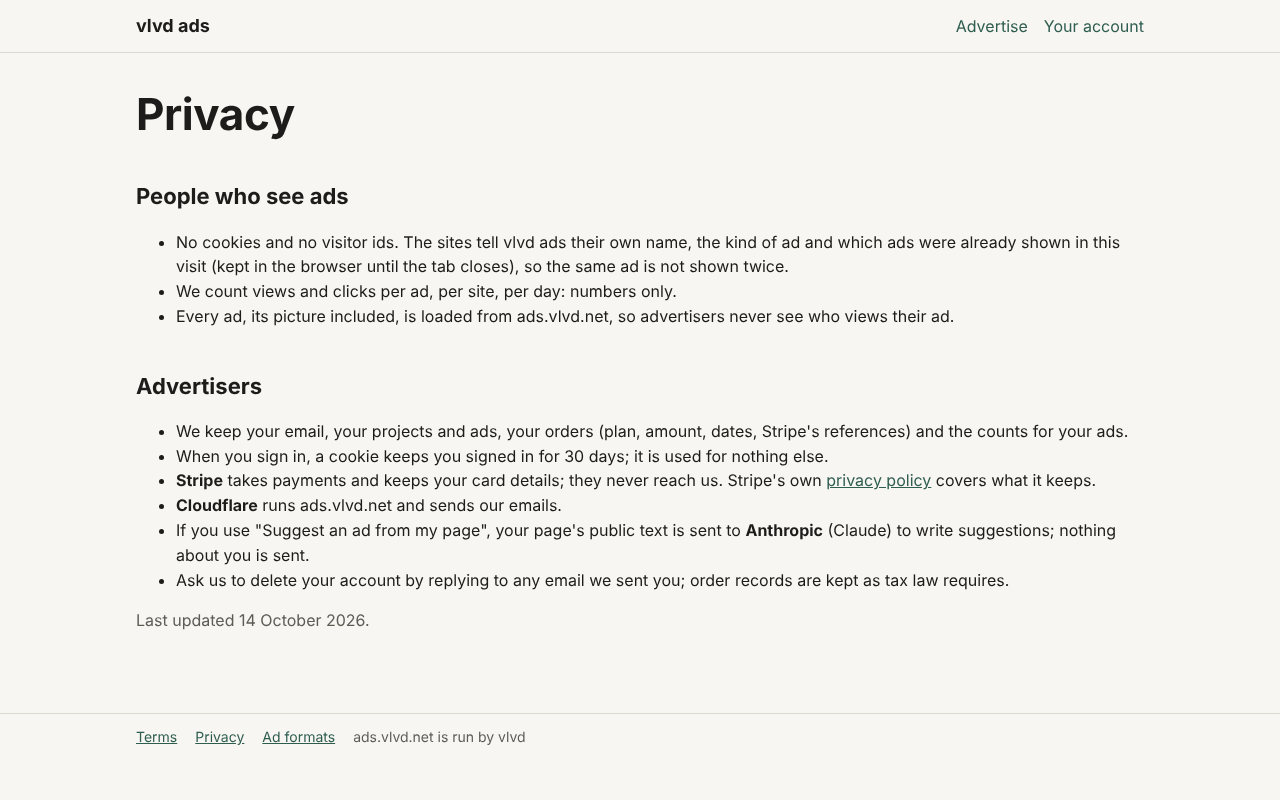
vlvd ads takes that idea a step further. It places one small ad at a time on a family of game and learning websites, and people who see its ads get no cookies and no visitor ID. Go back to the worked example and see what is missing:
- No ID to send back. The site tells the ad service only its own name, the kind of ad, and which ads were already shown in that visit.
- Repeat ads handled in the tab. The list of ads already shown is kept by the browser until the tab closes, so the same ad is not shown twice. Nothing survives to link today's visit with tomorrow's.
- Counts, not people. The service records views and clicks per ad, per site, per day: numbers only.
- No third party in between. Every ad, its picture included, loads from the ad service's own address, so an advertiser never sees who views their ad.
Content is handled by people as well. A person checks every ad before it is shown, usually within two working days. An ad is short: a headline of up to 40 characters, one sentence of up to 90, and a button of up to 18, with the picture taken from the advertised page's own preview image. A click goes straight to the advertised page. The service also turns away ads for gambling, adult content, weapons, crypto and trading, politics, health or medical claims, and get-rich claims.
Compare that with the retargeting list earlier. Frequency limits work inside a single tab. Results are reported as daily counts. Interest profiles and cross-site linking have no data to work from, so they do not happen.
Frequently asked questions
Are third-party cookies harmful?
They do not damage your device or carry malware. The harm is to privacy: they let a company you never visited build a long record of the pages your browser loaded.
Is a third-party cookie the same as a tracking pixel?
No. A tracking pixel is a tiny image that makes your browser contact another server, and that request is often how a third-party cookie gets set or read. The two often work together, but either can exist alone, as the article on tracking pixels covers.
Do contextual ads need third-party cookies?
No. A contextual ad is chosen from the page or site where it appears, so it needs no record of where the reader has been. Some ad systems mix context with tracking, but context alone works without cookies.
Can a site show ads after third-party cookies are blocked?
Yes. Contextual placement, first-party ads sold directly by the site, and simple counts of views and clicks all work without them. The article on ads without cookies goes through these options.
Third-Party Cookies and the Move to Contextual Advertising
A third-party cookie is an ordinary cookie set by a domain embedded in the page rather than the one in your address bar. That one difference lets a single company recognize your browser on every site that loads its content. Advertising built retargeting, profiles and conversion counting on that ability.
The ability is shrinking. Consent laws made sites ask first. Safari and Firefox cut them off by default, while Chrome kept them. What remains reliable is information that never needed tracking: the page a reader is on right now, the site's own name, and plain counts of views and clicks.
When you run a site, the useful question is not how to replace the cookie. It is what an ad needs to know to be relevant and safe. Often the answer is the page itself and a person who checked the ad before it ran.