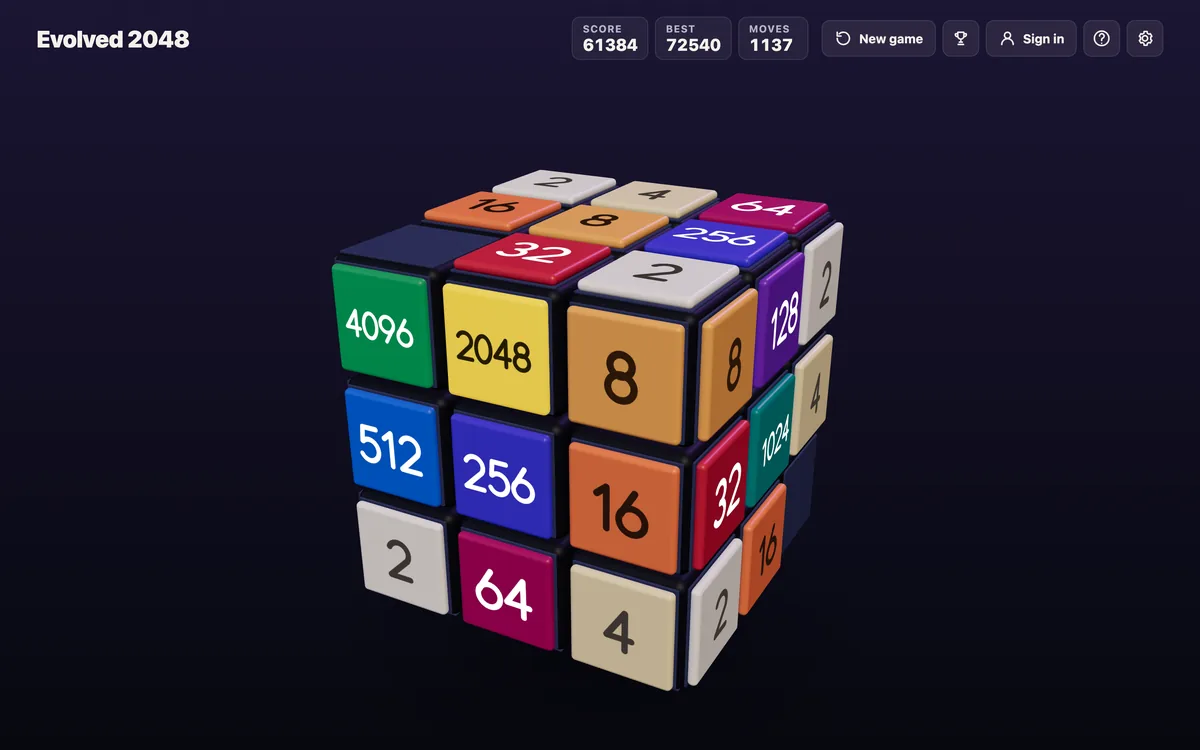
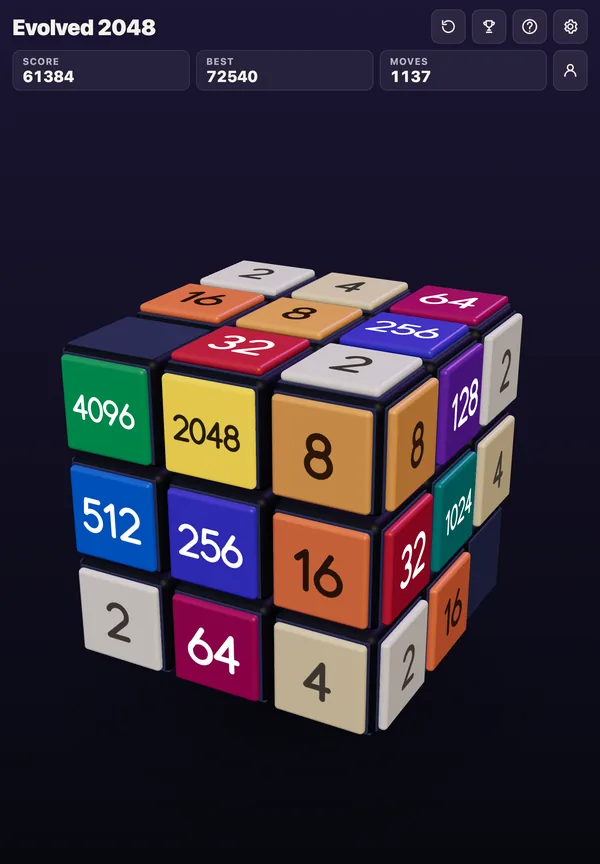
If you want to know how to twist rows in 3D 2048, start with one idea: a twist moves tiles between faces, and a slide moves tiles across one face. On Evolved 2048, the 2048 puzzle sits on a cube of six faces, each with nine squares, 54 squares in all. You slide the front face to merge tiles, and you twist a layer of the cube to carry tiles from the sides onto the front. Knowing which layer to twist, which way, and when, is most of what separates a cramped cube from a calm one.
The twist is the move a flat game never needed. In the original 2048 every tile lives on one 4 by 4 grid, so any two equal tiles can meet with enough slides. On a cube, a matching tile can sit on a face you are not even looking at, and no amount of sliding the front will reach it.
Where twisting comes from
The twist borrows its mechanics from the Rubik's Cube, the combination puzzle Erno Rubik invented in 1974. Its classic version has six faces of nine stickers each, and Rubik set out to build a structure in which each layer could rotate freely without the whole thing falling apart. That is the property a 2048 cube uses: a layer turns, and everything on it travels with it.
The sliding half comes from 2048) itself. Tiles slide as far as they can until another tile or the edge stops them, and two tiles of the same number that collide merge into one tile worth their total. A tile made by a merge cannot merge again in the same move. If those rules feel loose, the rules behind every slide go through them one row at a time.
The three moves on the cube
Every move on the cube is one of three kinds, and it helps to keep them apart before you twist anything:
- Slide. Swipe the front face, or press the arrow keys or W A S D. Tiles slide as in 2048, and two equal tiles merge into their sum.
- Twist. Turn one layer of the cube a quarter, carrying its tiles to the next face.
- Turn. Drag the space around the cube, or press Shift and an arrow key, and the whole cube turns so you can look at another side.
Slides and twists change the board, and each one adds a new tile, a 2 or a 4, on the front face when it has room. A turn changes nothing but your view, and it costs nothing. That difference sets the rhythm of good play: turn as often as you like, twist only when the twist does something.
How to twist rows in 3D 2048 with a mouse or a finger
On a touch screen or with a mouse, you twist by dragging a layer:
- A row. Drag a row on the right face sideways. That horizontal layer turns a quarter around the cube.
- A column. Drag a column on the top face. That vertical layer turns a quarter, front to top or top to front.
The drag starts on a side face, not the front, because a swipe on the front face is a slide. Keep that split in your hands: front face to slide, right face or top face to twist, empty space around the cube to turn it. A drag that lands in the wrong place is the most common way to make a move you did not mean.
The keyboard: 1 to 6, and Shift
On a keyboard the twists sit on the number keys, one key per layer:
- 1, 2 and 3 twist the top, middle and bottom row to the right.
- 4, 5 and 6 twist the left, middle and right column up.
- Shift with any of them twists that layer the other way.
Shift matters more than it looks. A layer has four positions, one per face it passes. If a tile sits one face to the right of where you want it, twisting the wrong way takes three quarter turns to bring it round, and each of those turns drops a new tile on the board. Twisting the right way takes one. Before you press a number, ask which side the tile is on, then decide whether you need Shift.
What a twist costs you
A twist always has a cost. Two rules from the game set what it costs:
- Every twist adds a 2 or a 4, just as a slide does.
- A twist needs one empty square for that new tile.
So a twist spends a square of room to gain a better position. On a roomy cube that is cheap. On a crowded one, a twist that only shuffles tiles around can leave you with less space and no merge to show for it. Room matters as much here as on a flat board, and the reasons empty squares matter in 2048 hold on every face of the cube.
In the main mode, slides move only the front face, and the game ends when all 54 squares are full and no face has two equal tiles side by side. That makes the side faces a store as well as a source: tiles waiting there are safe from the front's crowding, but they also fill squares you can no longer slide into.
A worked example: bringing a 16 round
Here is one twist from start to finish. Follow it on a real cube and the keys stop feeling abstract.
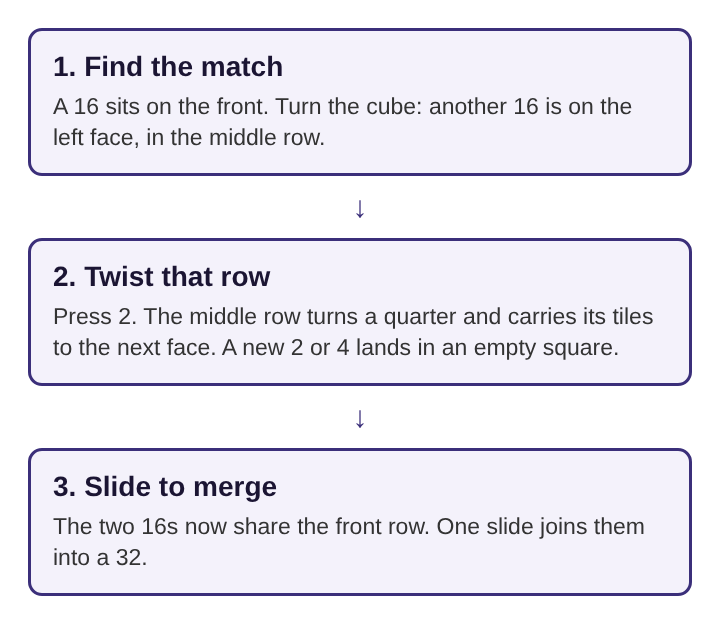
- Find the match. The front face holds a 16 in its middle row, at the right end. No other 16 sits on the front. You turn the cube to look at the left face, which costs nothing, and find another 16 in the left face's middle row.
- Pick the layer and the direction. The tile you need is in the middle row, so the key is 2. The 16 is on the left face, and 2 twists the middle row to the right, which carries the left face's middle row onto the front. No Shift is needed.
- Check the cost. The twist will add a 2 or a 4, and it needs one empty square for it. The front face has two empty squares, so there is room.
- Twist. Press 2. The middle row turns a quarter. The left face's 16 is now on the front, in the same row as the 16 you started with. A new tile lands in an empty square.
- Slide. If nothing sits between the two 16s, one slide along that row merges them into a 32. If another tile sits between them, the merge waits for a slide that clears it first.
Two moves, one twist and one slide, turned a tile you could not reach into a merge. Notice what the example did not do: it did not twist first and look later. The turn, which cost nothing, came first, the twist came only once it had a clear purpose, and Shift was skipped only because the direction was already right.
When a twist beats a slide
A few habits make twisting work for you rather than against you:
- Twist for a merge, not for movement. The game's own advice is that a tile you need is often on a side face, and that twisting its row or column round lands it next to its match on the front. A twist with a merge waiting at the end earns its new tile. A twist without one usually does not.
- Look before you twist. Turning costs nothing, so check the faces a twist will touch before you commit. A layer carries everything on it, including tiles you were glad to keep where they were.
- Count your room. With one empty square left, a twist can fill it. Make sure the merge that follows frees at least that much space again.
- Pick the short way round. One quarter turn in the right direction beats three in the wrong one, every time.
Planning helps here as much as anywhere. Picturing where a twist leaves each tile, and where the new tile can land, is the same skill as looking past the next slide, with one extra dimension.
Frequently asked questions
Which rows can you twist on a 2048 cube?
You twist a row by dragging it sideways on the right face, or a column by dragging it on the top face. On a keyboard, 1, 2 and 3 twist the top, middle and bottom rows, and 4, 5 and 6 twist the left, middle and right columns.
How do you twist a row the other way?
Hold Shift with the number key. Without Shift, 1 to 3 twist a row to the right and 4 to 6 twist a column up; with Shift, the same layer turns the opposite way.
Does twisting add a new tile?
Yes. Every twist adds a 2 or a 4, the same as a slide, and a twist needs one empty square for it. Turning the whole cube to look around adds nothing.
Why can't you twist when the cube is full?
A twist needs one empty square for the new tile it adds. With no empty square, the only moves left are slides that make a merge.
Twisting rows in 3D 2048 comes down to one question
Every twist answers the same question: is the tile you need on another face, and will bringing it round make a merge? When the answer is yes, find its layer, choose the direction that brings it round in one quarter turn, check that there is an empty square for the new tile, and twist. When the answer is no, turn the cube and keep looking, because a look costs nothing and a twist always costs a square.
Evolved 2048
The 2048 puzzle on a Rubik's cube, and past 2048. Visit evolved2048.vlvd.net